






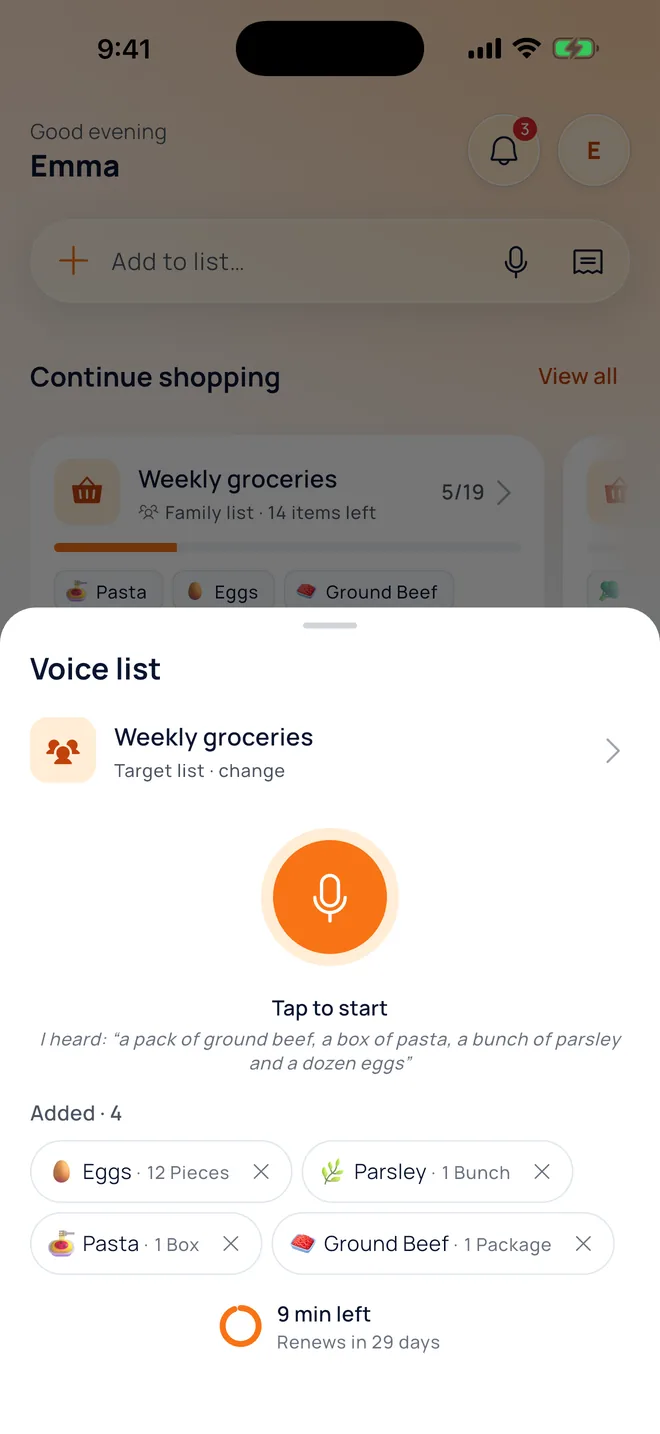
Voice list
 Weekly groceries
Tap to start
I heard: “a pound of ground beef, two boxes of pasta, a bunch of parsley and six eggs”
Added · 4
 Ground beef1 lb
 Pasta2 boxes
 Parsley1 bunch
 Eggs6 pcs
New · Kitchen Studio 2.0
Your grocery list, what's in your kitchen, your recipes and your budget, together. Share one list with your family and everyone knows what was bought, what ran out and what's for dinner.
getkitchenstudio.com/download






Meet Defne
Defne used to save recipes on Instagram and never find them again. Watch the one-minute film to see how she shares a recipe to Kitchen Studio and takes it to her list, the store and the table.
How it works
Every step in Kitchen Studio feeds the next: what you buy goes to your kitchen, what's in your kitchen becomes a recipe, and what runs out goes back on your list.
Features
Real screens from the app. Scroll and the phone follows along.
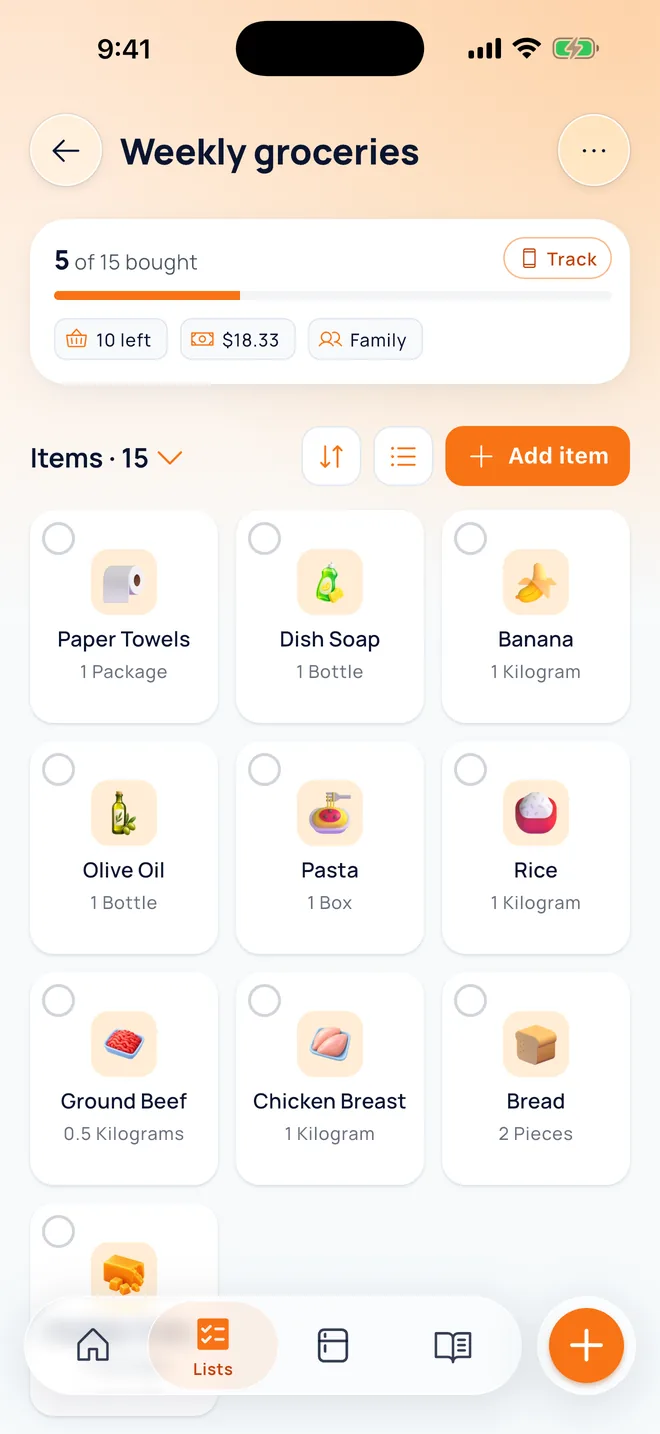


01List
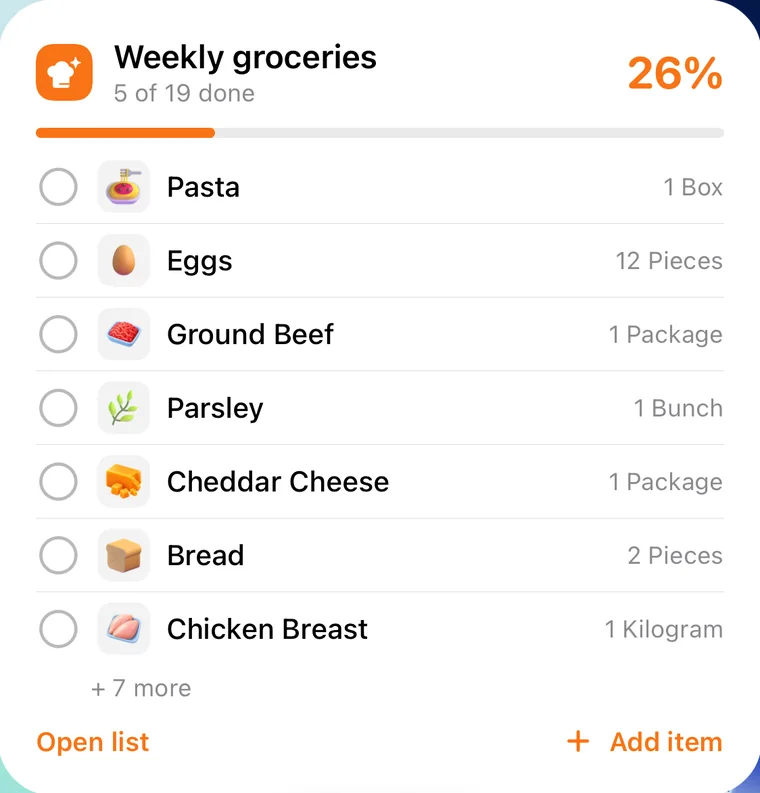
Anyone adds, everyone sees it instantly. Tap an item to check it off, with Undo if you slip.
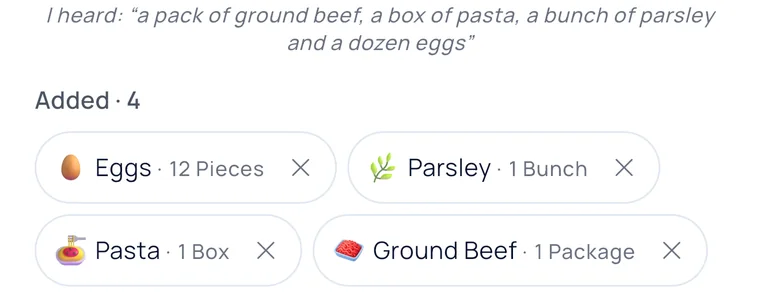
02Voice
One sentence is enough: “a pound of ground beef, two boxes of pasta…” Items land on your list with quantities.
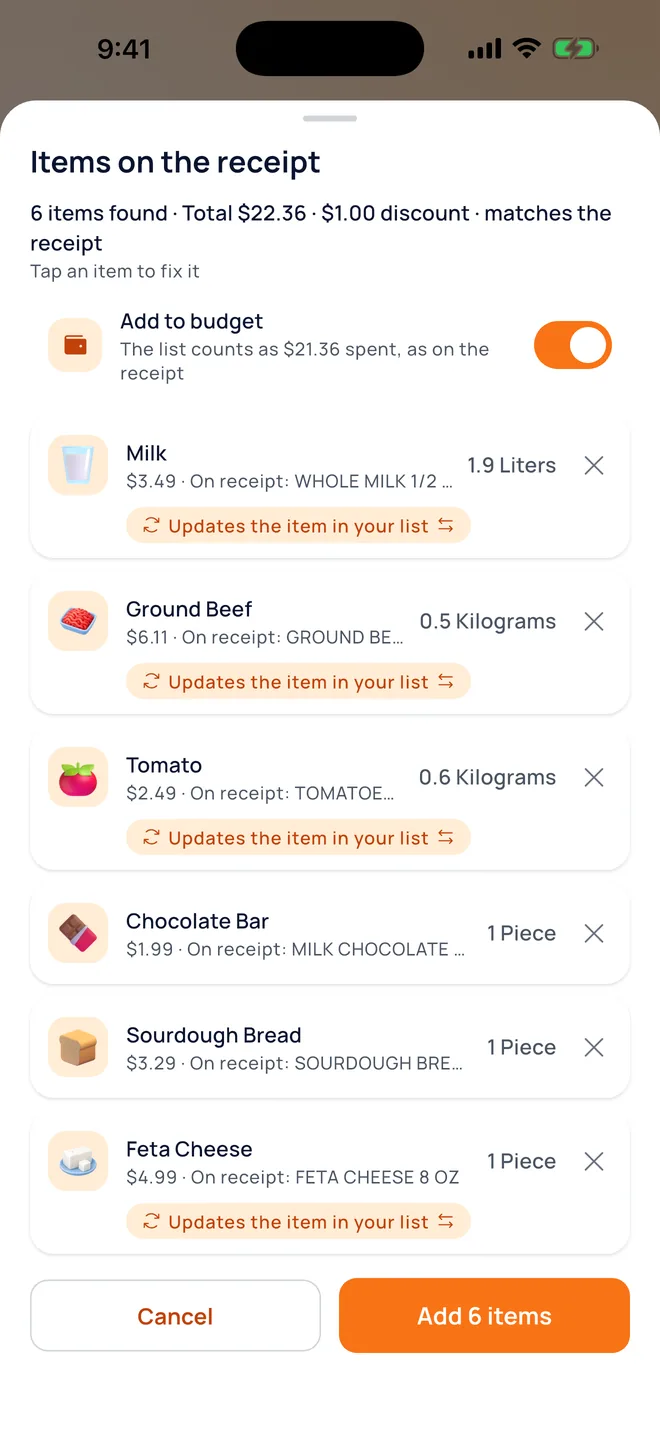
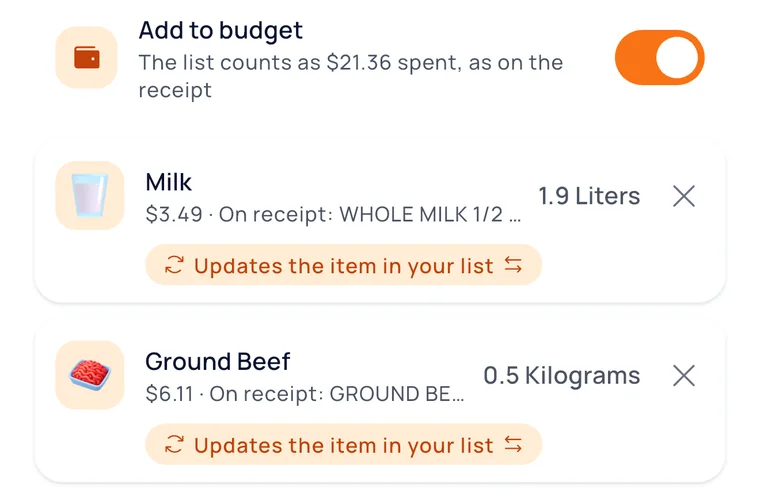
03Receipt
Take a photo of your receipt and items and prices are matched to your list. The total is checked against the receipt, discounts shown separately.
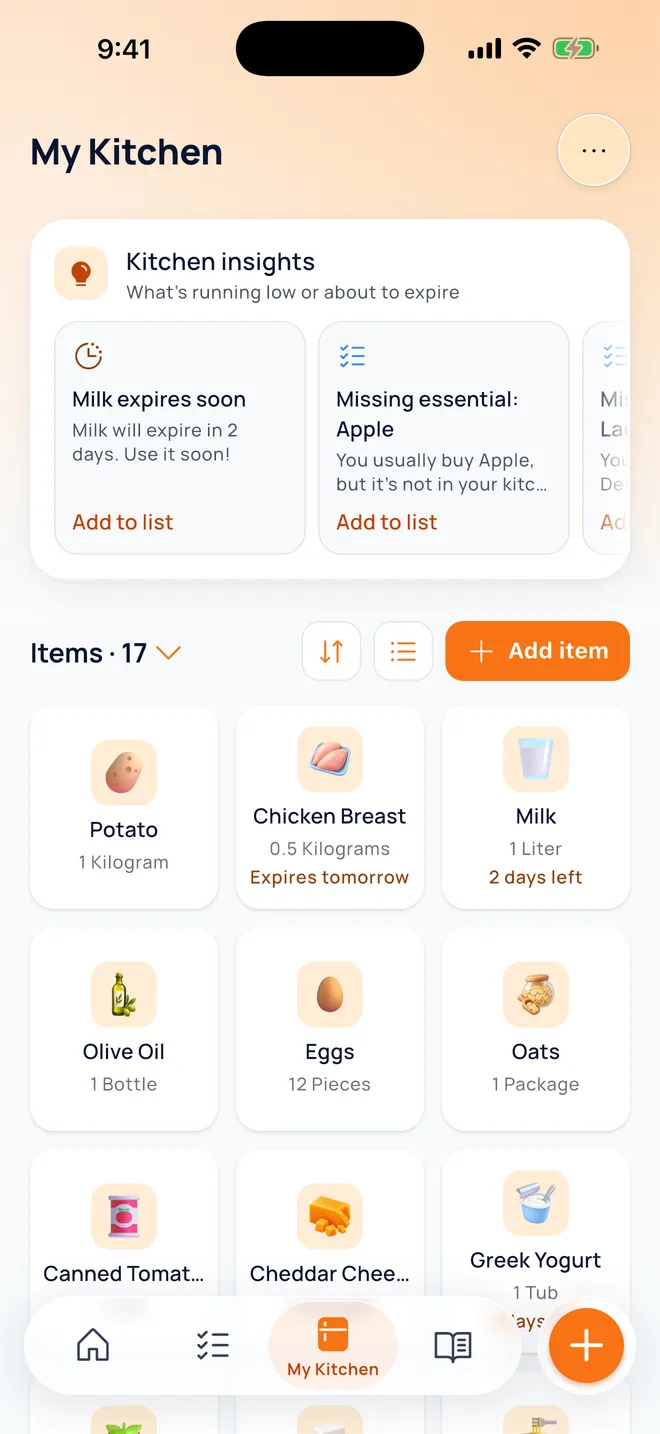
04Kitchen
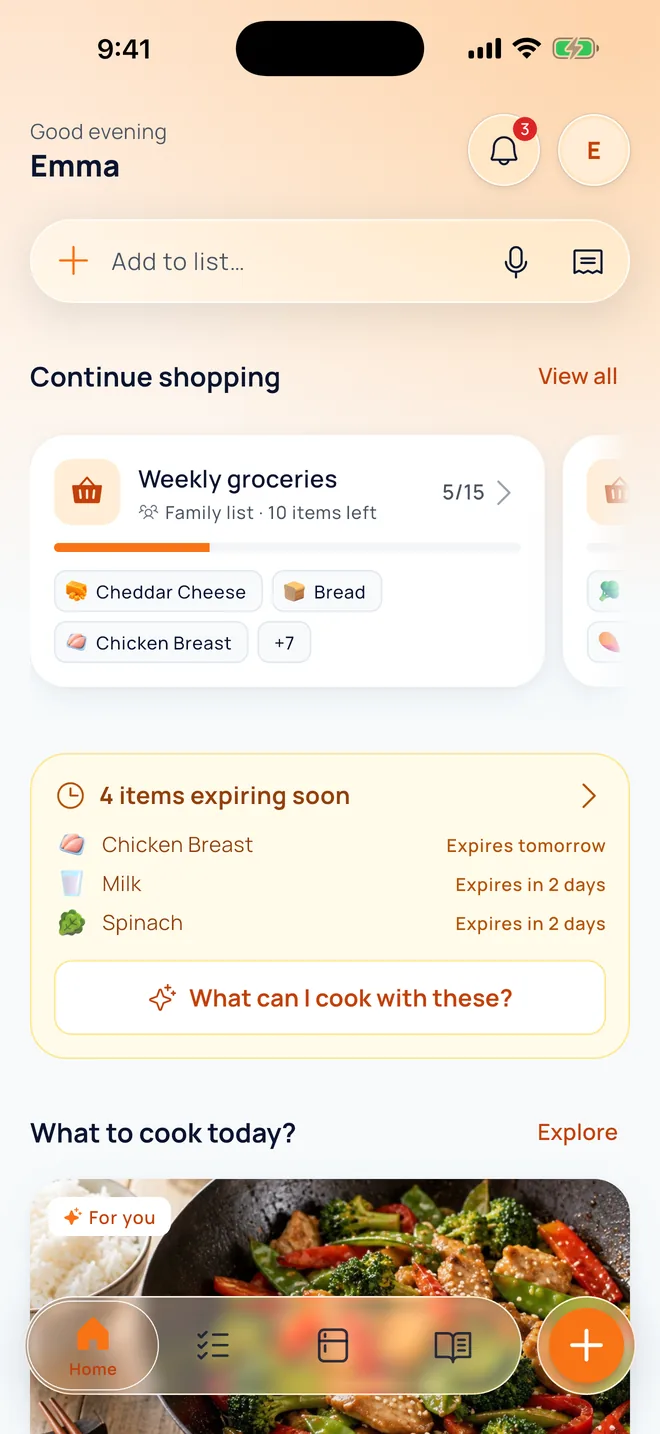
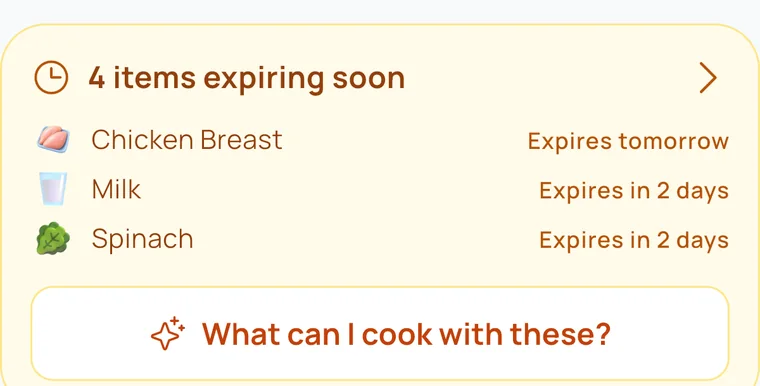
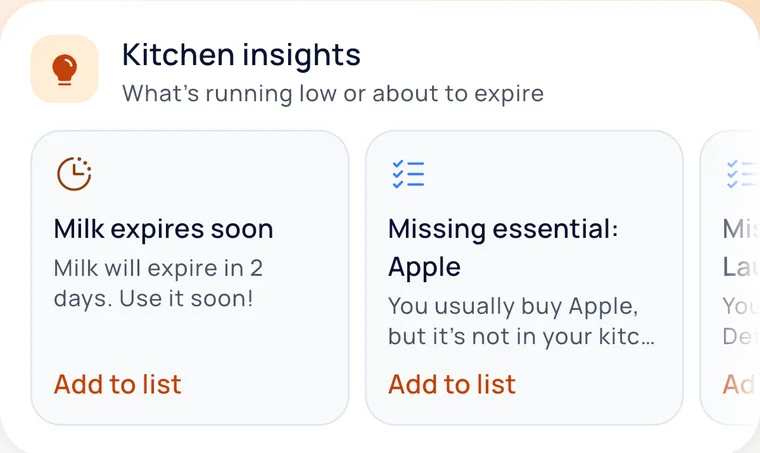
Track what you have with expiry dates. We'll remind you before things expire: “What can I cook with these?”
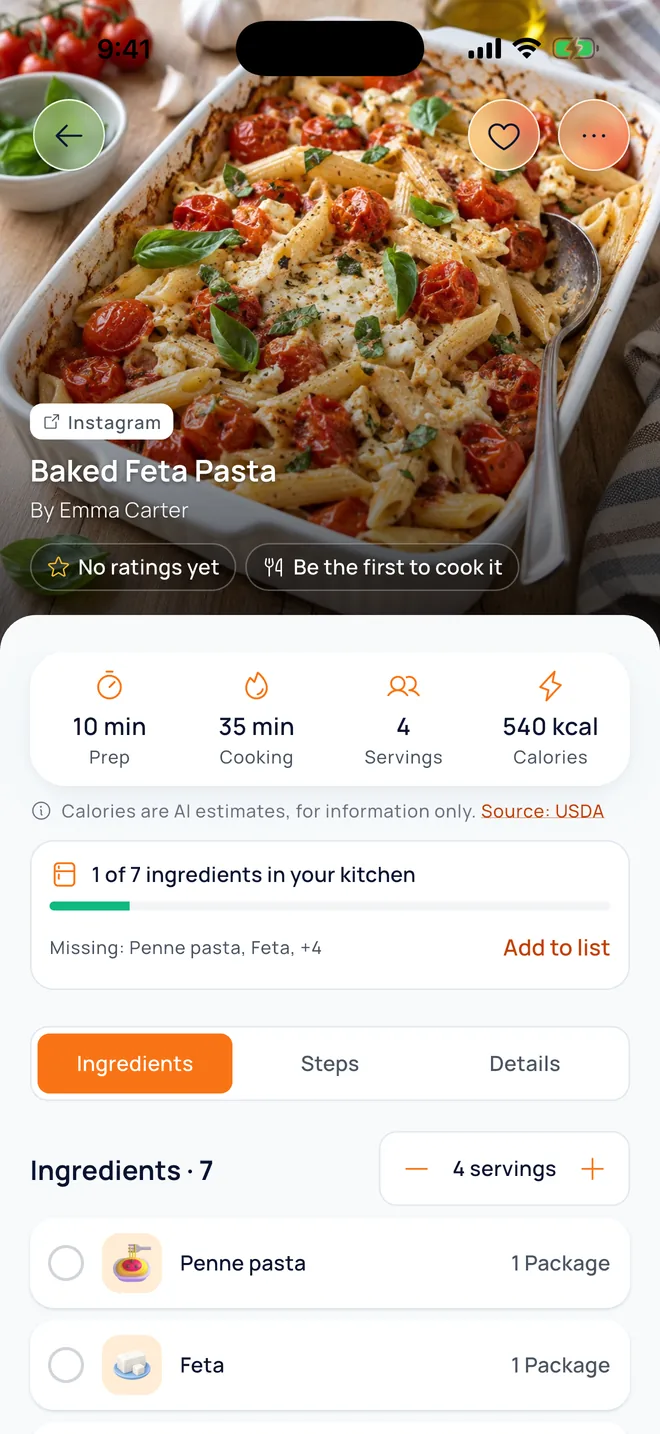
05Link
Paste an Instagram, TikTok, YouTube or recipe-site link and get the ingredients and steps in your recipe book.
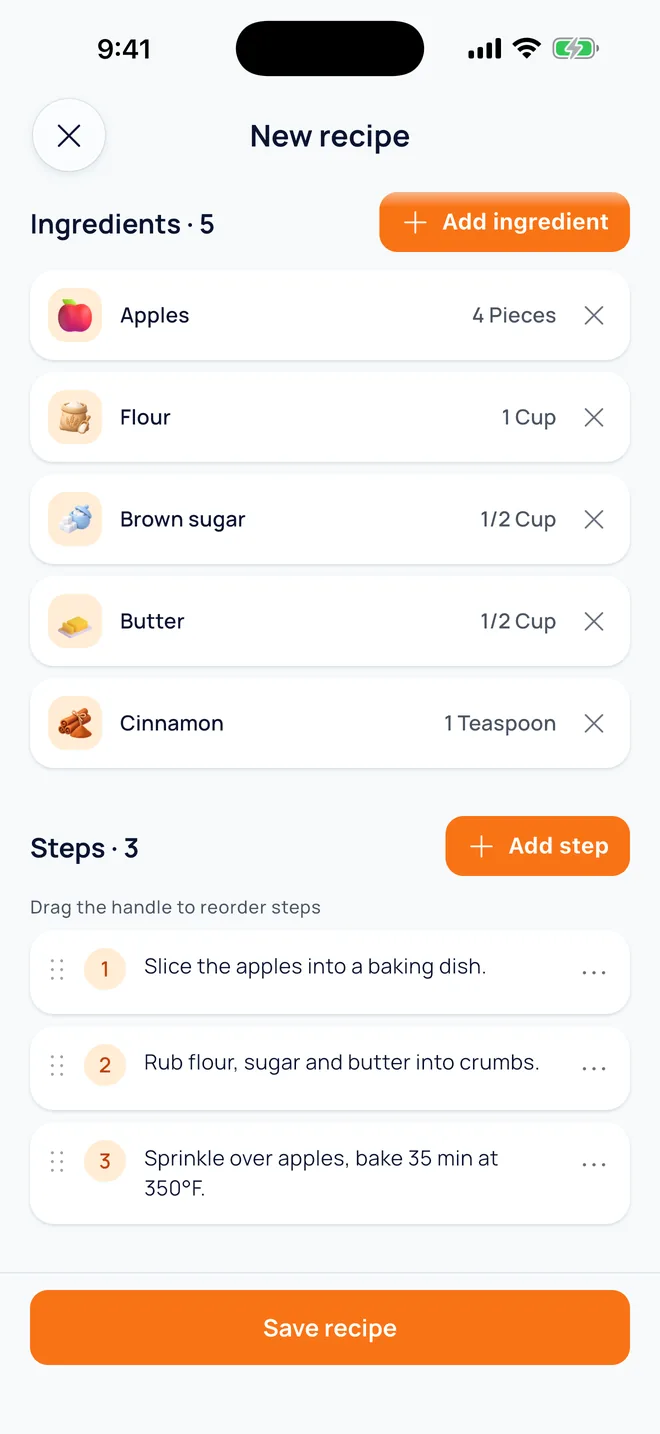
06Notebook
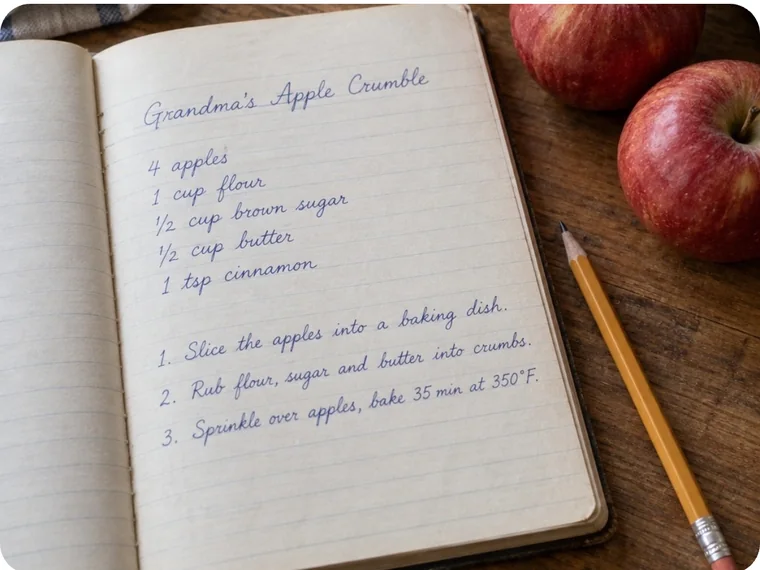
Snap grandma's notebook or a cookbook page and we do the rest. Ingredients and steps are saved as a recipe.
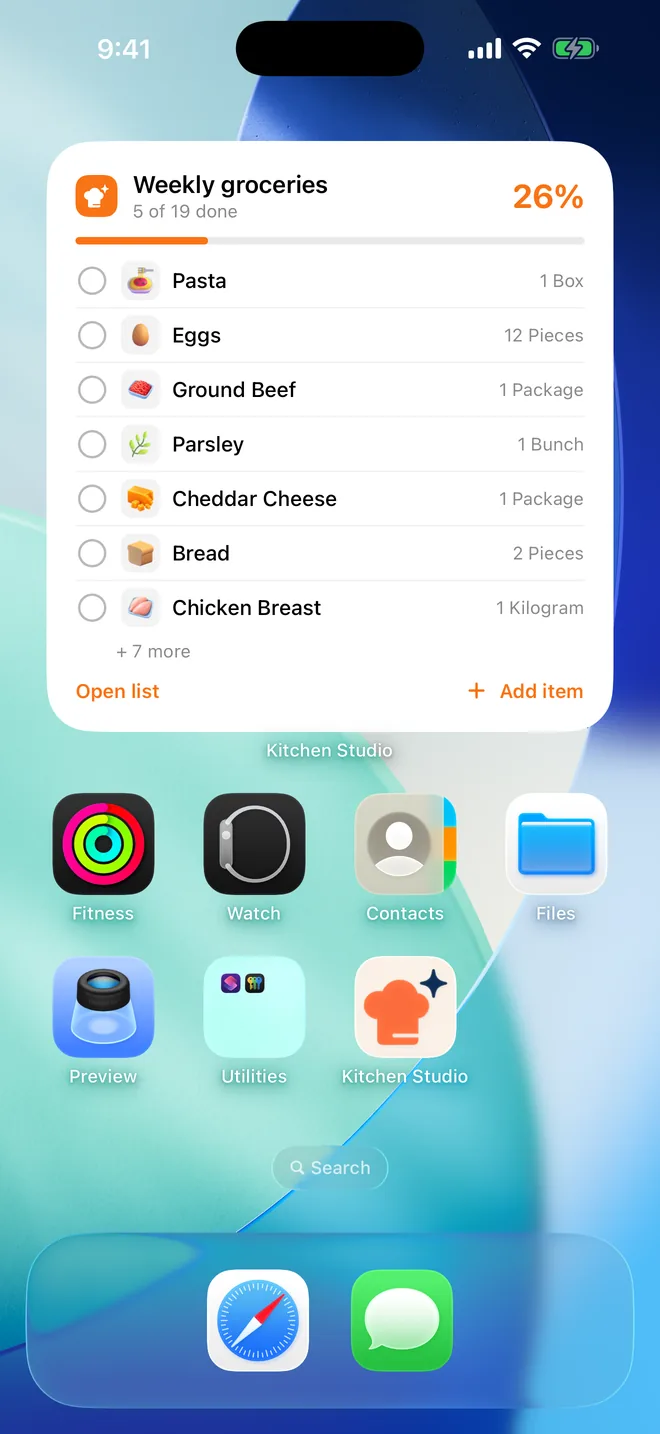
07Widget
Keep shopping without opening the app. Choose which list shows on your home screen.
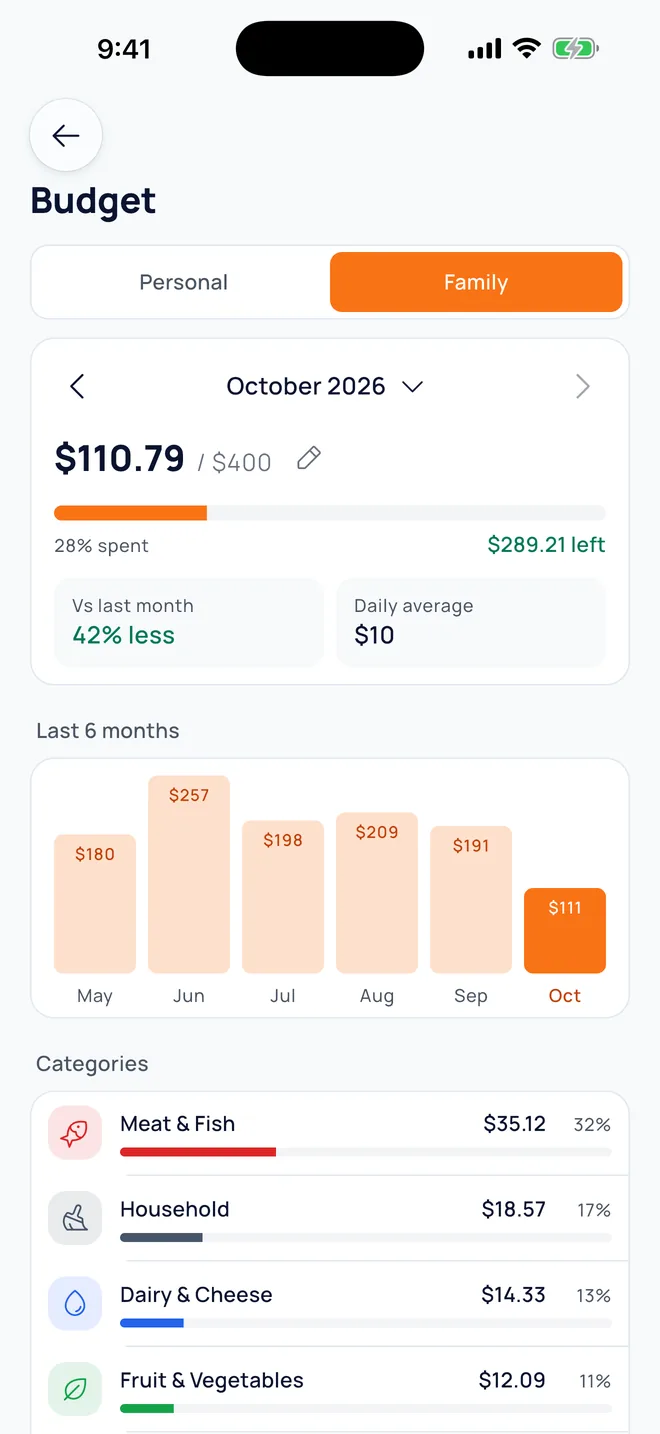
08Budget
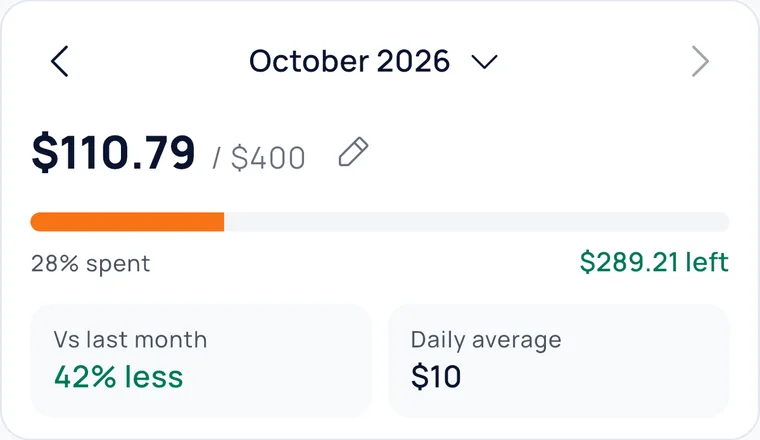
Monthly personal and family budgets: category breakdown, change vs last month and the last 6 months. Filled in automatically from receipts and list prices.
See it work
What happens in the app, as a little animation.
Weekly groceries
Tap to start
I heard: “a pound of ground beef, two boxes of pasta, a bunch of parsley and six eggs”
Added · 4
Ground beef1 lbPasta2 boxesParsley1 bunchEggs6 pcsRecipe link
 Instagram
Penne pasta1 pkg
Instagram
Penne pasta1 pkg Feta1 pkgCherry tomatoes1 pkg
 Garlic4 cloves
5 / 7 ingredients in your kitchenAdd missing to list
Family
Create a family group with an invite code. Lists, recipes and the budget are shared, so everyone knows who bought what.
Pricing
All the basics are free. If you use the AI features a lot, Pro gives you more.
$0
Monthly or yearly
Prices are shown in the App Store for your region. Cancel anytime in your App Store settings.
FAQ
Yes. Lists, family sharing, My Kitchen, the recipe book and the budget are free. AI features (receipt scanning, voice lists, recipes from links and photos, AI Chef) can also be unlocked on the free plan with a short ad. Pro gives you more AI uses and removes ads.
It's on iPhone today. We're working on the Android version and will announce it here when it's ready.
Create a family group in the app and share the invite code. Everyone who joins sees the lists, recipes and family budget, and gets notified when someone adds to the list.
Yes. Keep editing your lists and kitchen with no signal; changes sync when you're back online.
Instagram, TikTok, YouTube or any recipe site. Just paste the link to a public post. You can also add handwritten recipes and cookbook pages from a photo.
All data is sent over an encrypted connection (HTTPS/TLS). You can delete your account in the app; your data is removed within 30 days. See the Privacy Policy for details.
English and Turkish.
Something else? Write to info@getkitchenstudio.com.

Download Kitchen Studio for free and share your first list with your family.
getkitchenstudio.com/downloadAndroid coming soon.